> ## Documentation Index
> Fetch the complete documentation index at: https://docs.tortus.ai/llms.txt
> Use this file to discover all available pages before exploring further.
# Meetings
> Capture non-patient conversations and generate meeting notes.
Meetings let clinicians (or other users) capture **non-patient conversations** and have TORTUS generate meeting notes. The flow mirrors consultations: start a meeting, let TORTUS process it, and handle the `meeting:completed` event.
Meeting mode is in **early access** and not yet available to all users and partners. To request
access, contact your TORTUS Account Manager or [support@tortus.ai](mailto:support@tortus.ai).
## Starting a meeting
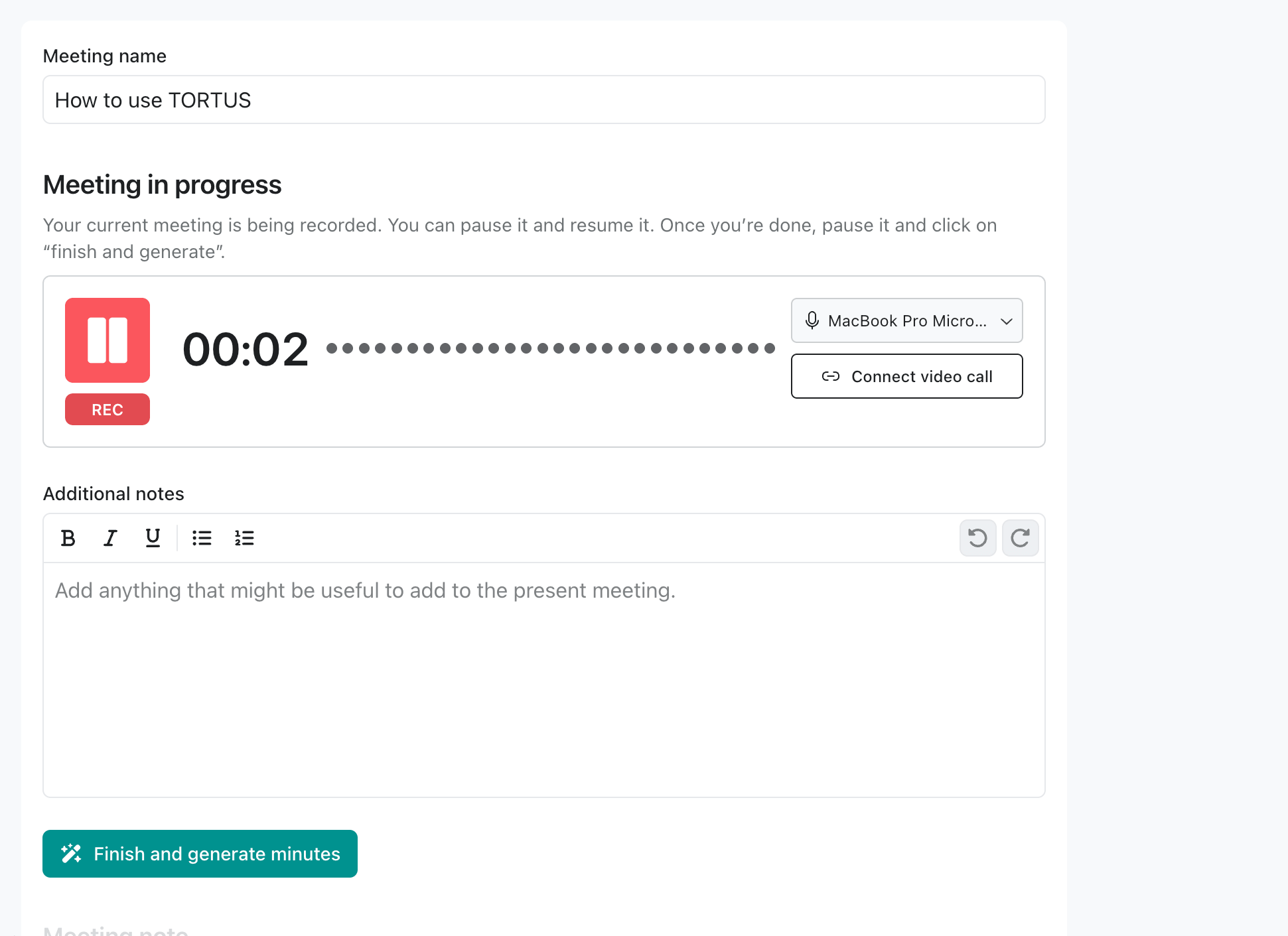 Capture audio in the embedded app, the same flow a clinician sees in the standalone TORTUS meeting view.
```ts theme={null}
const meeting = await client.meetings.start(
{
mode: "LIVE_RECORDING",
reference: "mtg_external_123", // Optional: your own ID for cross-system correlation
title: "Weekly clinical governance",
notes: "Initial agenda: incident review, training updates",
},
{ returnTo: "home" }, // Where to send the user after the meeting closes
);
console.log("Meeting started:", meeting.reference);
```
Update the notes mid-flight, for example as the user types into your host UI:
```ts theme={null}
await meeting.setNotes?.("Updated agenda after attendees joined");
```
Capture audio in the embedded app, the same flow a clinician sees in the standalone TORTUS meeting view.
```ts theme={null}
const meeting = await client.meetings.start(
{
mode: "LIVE_RECORDING",
reference: "mtg_external_123", // Optional: your own ID for cross-system correlation
title: "Weekly clinical governance",
notes: "Initial agenda: incident review, training updates",
},
{ returnTo: "home" }, // Where to send the user after the meeting closes
);
console.log("Meeting started:", meeting.reference);
```
Update the notes mid-flight, for example as the user types into your host UI:
```ts theme={null}
await meeting.setNotes?.("Updated agenda after attendees joined");
```
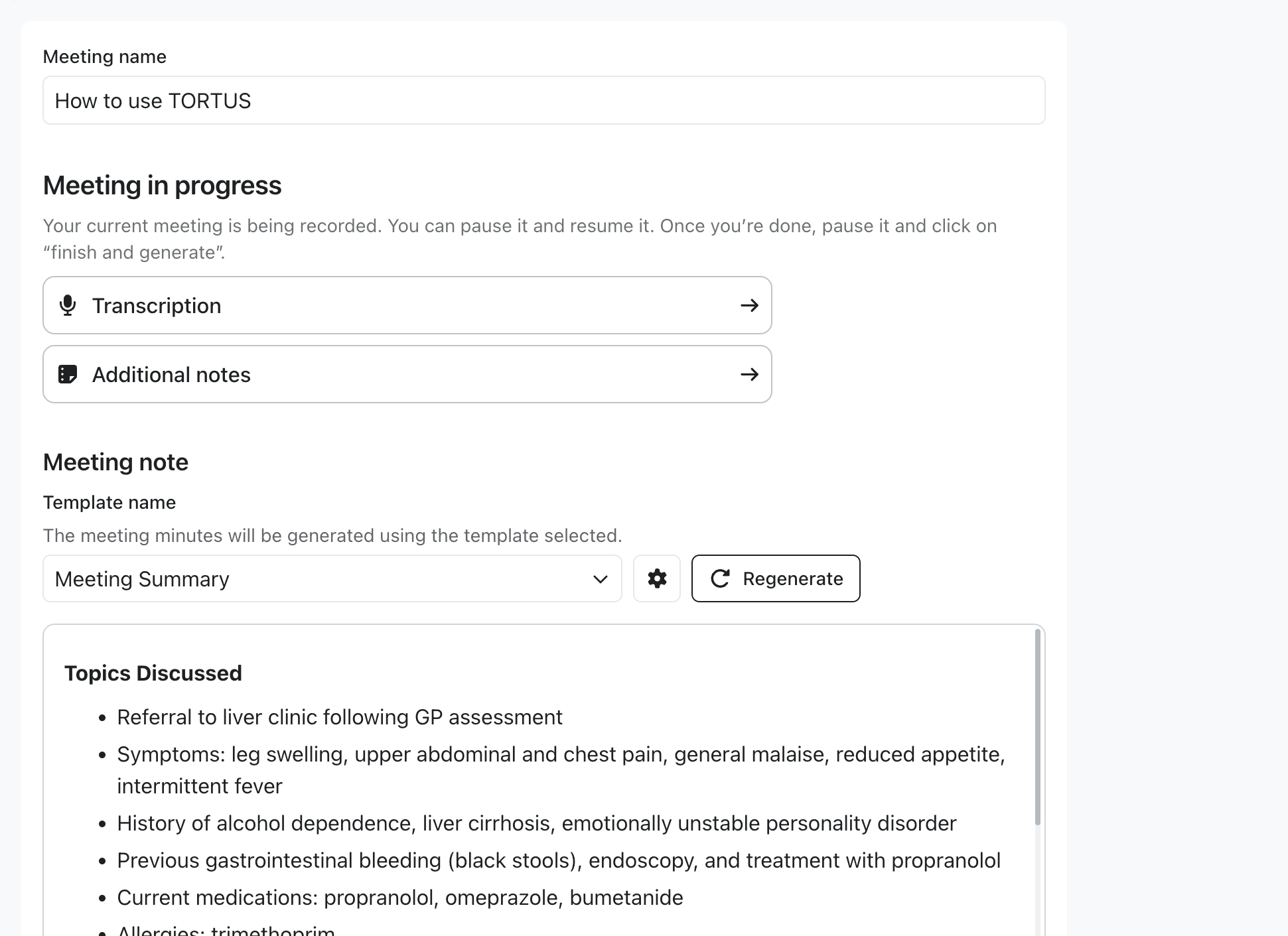 Skip the recorder by providing a URL to an existing audio file. Transcription begins immediately.
```ts theme={null}
const meeting = await client.meetings.start({
mode: "AUDIO_FILE",
reference: "mtg_external_456",
audio: { url: "https://your-domain.com/meeting-recording.mp3" },
title: "Quarterly review",
});
```
## Handling completion
When the user clicks **Finish meeting** in the embedded view, the SDK emits `meeting:completed` with the generated note in both Markdown and HTML, plus the transcription as plain text. As with consultations, you must call `finish()` to acknowledge receipt.
```ts theme={null}
client.on('meeting:completed', async ({ meeting, result, finish }) => {
const { meetingNotes, transcriptions } = result.artifacts;
const htmlNote = meetingNotes.find((n) => n.contentType === 'text/html');
const markdownNote = meetingNotes.find((n) => n.contentType === 'text/markdown');
const transcript = transcriptions.find((t) => t.contentType === 'text/plain');
try {
await persistMeetingNote({
reference: meeting.reference,
title: meeting.title,
noteHtml: htmlNote?.content,
noteMarkdown: markdownNote?.content,
transcript: transcript?.content,
});
finish(); // Acknowledge success (defaults to { status: 'success' })
} catch (error) {
finish({ status: 'failed' }); // Lets the user retry from the embedded UI
}
});
```
## Hosting your own meetings UI
To manage the meetings list and the start/finish flow in your **own** host UI, set `disableFinishMeetingButton: true` when calling `loadTortus(...)`:
```ts theme={null}
const client = await loadTortus({
publishableKey: 'pk_live_...',
container: '#tortus-container',
environment: 'production',
fetchClientSecrets: () => fetchTokenFromBackend(),
disableFinishMeetingButton: true,
});
```
When the flag is set:
* The embedded meeting view does **not** render the post-generation **Finish meeting** button.
* The SDK does **not** emit `meeting:completed`; your host drives completion through your own UI.
* The bundled meetings list / **Start new meeting** surface is shown so users can navigate between meetings without your host intervening.
The returned `TortusMeeting` also exposes `setAudio?(audio)` and `close()` for mid-flight updates
and teardown. See the [API reference](/reference/api).
Skip the recorder by providing a URL to an existing audio file. Transcription begins immediately.
```ts theme={null}
const meeting = await client.meetings.start({
mode: "AUDIO_FILE",
reference: "mtg_external_456",
audio: { url: "https://your-domain.com/meeting-recording.mp3" },
title: "Quarterly review",
});
```
## Handling completion
When the user clicks **Finish meeting** in the embedded view, the SDK emits `meeting:completed` with the generated note in both Markdown and HTML, plus the transcription as plain text. As with consultations, you must call `finish()` to acknowledge receipt.
```ts theme={null}
client.on('meeting:completed', async ({ meeting, result, finish }) => {
const { meetingNotes, transcriptions } = result.artifacts;
const htmlNote = meetingNotes.find((n) => n.contentType === 'text/html');
const markdownNote = meetingNotes.find((n) => n.contentType === 'text/markdown');
const transcript = transcriptions.find((t) => t.contentType === 'text/plain');
try {
await persistMeetingNote({
reference: meeting.reference,
title: meeting.title,
noteHtml: htmlNote?.content,
noteMarkdown: markdownNote?.content,
transcript: transcript?.content,
});
finish(); // Acknowledge success (defaults to { status: 'success' })
} catch (error) {
finish({ status: 'failed' }); // Lets the user retry from the embedded UI
}
});
```
## Hosting your own meetings UI
To manage the meetings list and the start/finish flow in your **own** host UI, set `disableFinishMeetingButton: true` when calling `loadTortus(...)`:
```ts theme={null}
const client = await loadTortus({
publishableKey: 'pk_live_...',
container: '#tortus-container',
environment: 'production',
fetchClientSecrets: () => fetchTokenFromBackend(),
disableFinishMeetingButton: true,
});
```
When the flag is set:
* The embedded meeting view does **not** render the post-generation **Finish meeting** button.
* The SDK does **not** emit `meeting:completed`; your host drives completion through your own UI.
* The bundled meetings list / **Start new meeting** surface is shown so users can navigate between meetings without your host intervening.
The returned `TortusMeeting` also exposes `setAudio?(audio)` and `close()` for mid-flight updates
and teardown. See the [API reference](/reference/api).