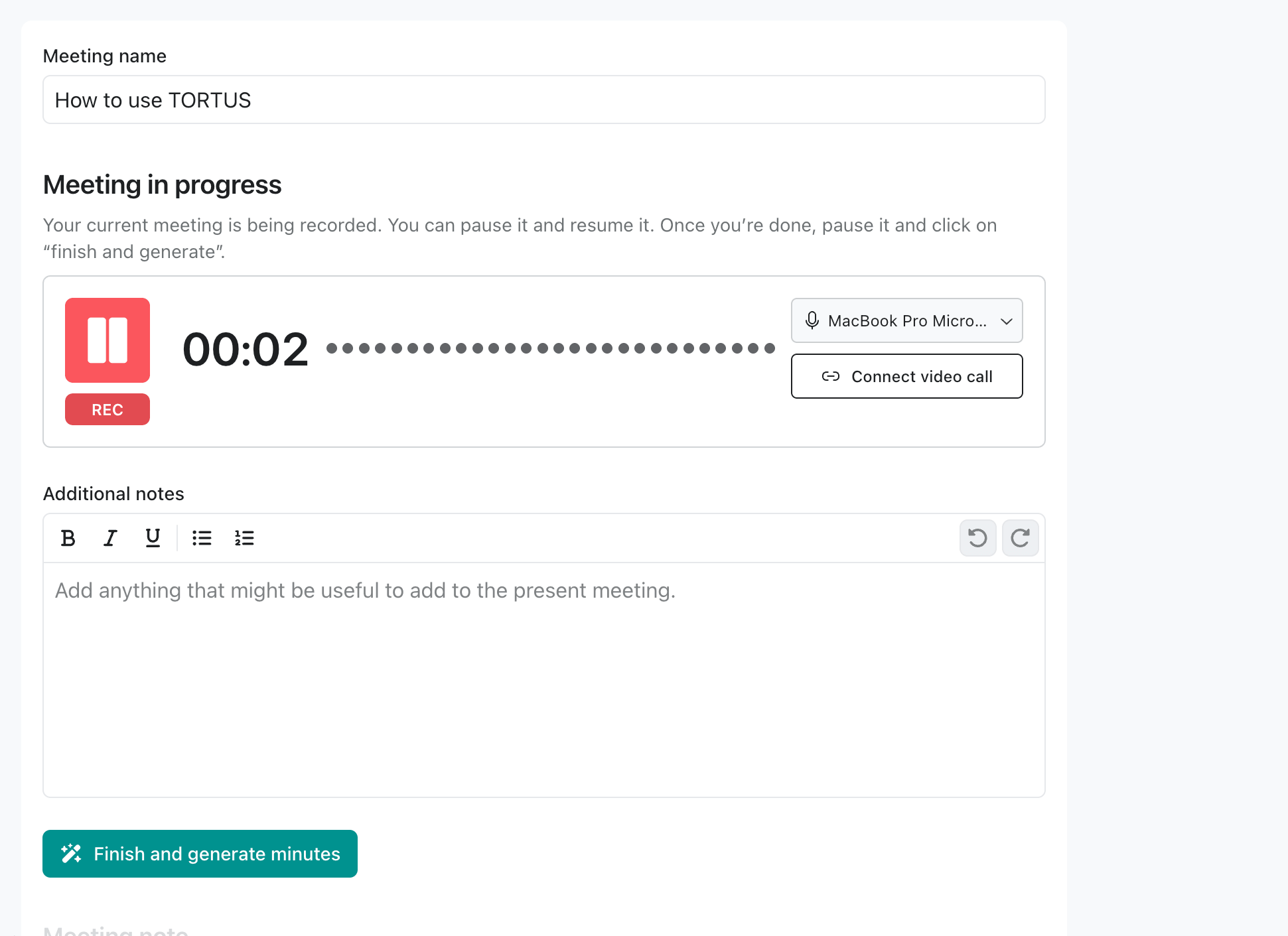
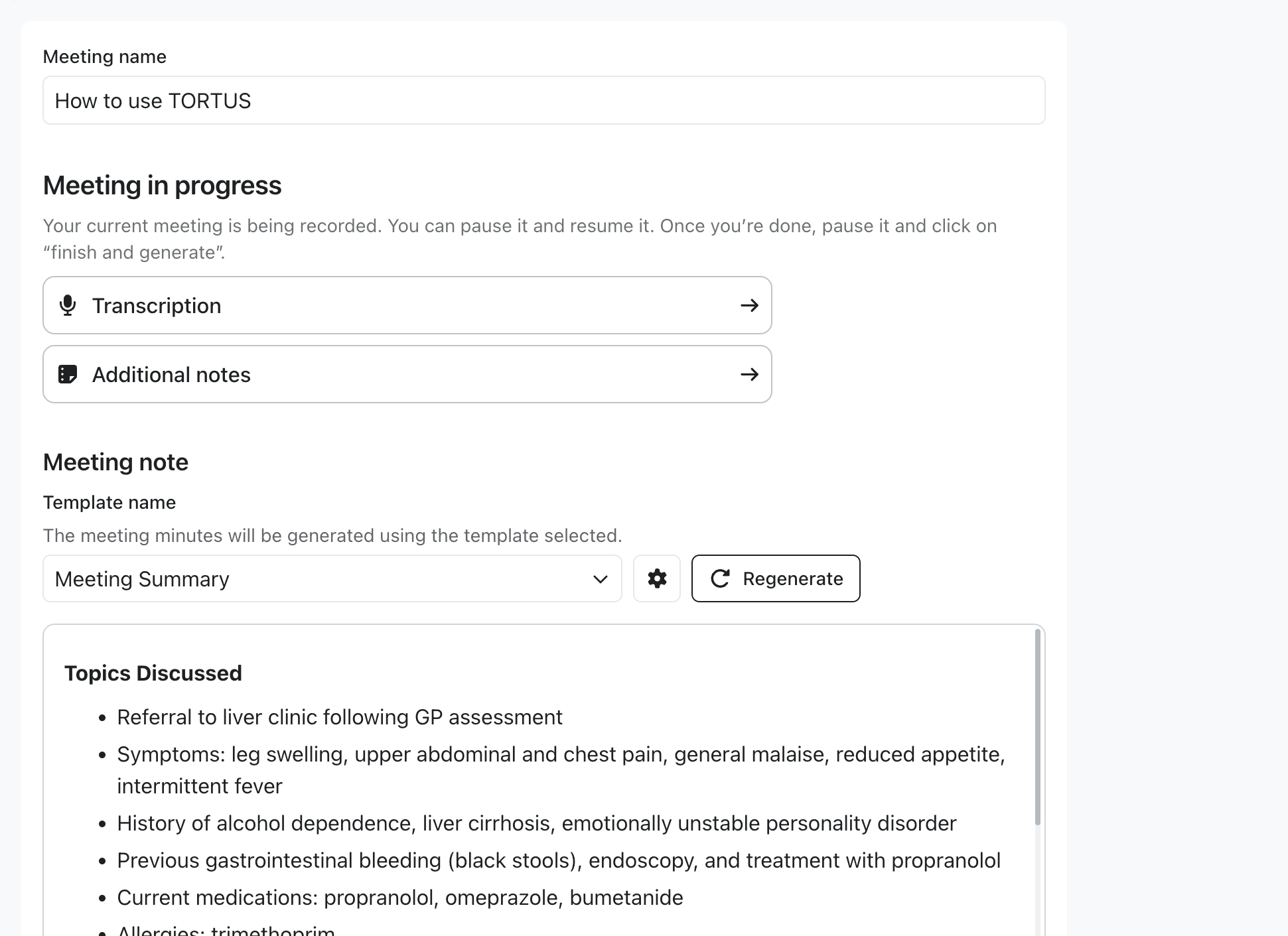
Meetings let clinicians (or other users) capture non-patient conversations and have TORTUS generate meeting notes. The flow mirrors consultations: start a meeting, let TORTUS process it, and handle the meeting:completed event.
Meeting mode is in early access and not yet available to all users and partners. To request access, contact your TORTUS Account Manager or support@tortus.ai.

Starting a meeting

Capture audio in the embedded app, the same flow a clinician sees in the standalone TORTUS meeting view.
const meeting = await client.meetings.start(
  {
    mode: "LIVE_RECORDING",
    reference: "mtg_external_123", // Optional: your own ID for cross-system correlation
    title: "Weekly clinical governance",
    notes: "Initial agenda: incident review, training updates",
  },
  { returnTo: "home" }, // Where to send the user after the meeting closes
);

console.log("Meeting started:", meeting.reference);
Update the notes mid-flight, for example as the user types into your host UI:
await meeting.setNotes?.("Updated agenda after attendees joined");

Handling completion

When the user clicks Finish meeting in the embedded view, the SDK emits meeting:completed with the generated note in both Markdown and HTML, plus the transcription as plain text. As with consultations, you must call finish() to acknowledge receipt.
client.on('meeting:completed', async ({ meeting, result, finish }) => {
  const { meetingNotes, transcriptions } = result.artifacts;

  const htmlNote = meetingNotes.find((n) => n.contentType === 'text/html');
  const markdownNote = meetingNotes.find((n) => n.contentType === 'text/markdown');
  const transcript = transcriptions.find((t) => t.contentType === 'text/plain');

  try {
    await persistMeetingNote({
      reference: meeting.reference,
      title: meeting.title,
      noteHtml: htmlNote?.content,
      noteMarkdown: markdownNote?.content,
      transcript: transcript?.content,
    });
    finish(); // Acknowledge success (defaults to { status: 'success' })
  } catch (error) {
    finish({ status: 'failed' }); // Lets the user retry from the embedded UI
  }
});

Hosting your own meetings UI

To manage the meetings list and the start/finish flow in your own host UI, set disableFinishMeetingButton: true when calling loadTortus(...):
const client = await loadTortus({
  publishableKey: 'pk_live_...',
  container: '#tortus-container',
  environment: 'production',
  fetchClientSecrets: () => fetchTokenFromBackend(),
  disableFinishMeetingButton: true,
});
When the flag is set:
  • The embedded meeting view does not render the post-generation Finish meeting button.
  • The SDK does not emit meeting:completed; your host drives completion through your own UI.
  • The bundled meetings list / Start new meeting surface is shown so users can navigate between meetings without your host intervening.
The returned TortusMeeting also exposes setAudio?(audio) and close() for mid-flight updates and teardown. See the API reference.